
Before you start
What it does: Gets you from a plain-language brief to approved ImageSuite and VideoSuite jobs in one chat thread.
Steal the prompts below, swap in your own product, and run them in Expertex Agent. You always review the approval card before credits are spent.
Stage 1 — What Expertex Agent is
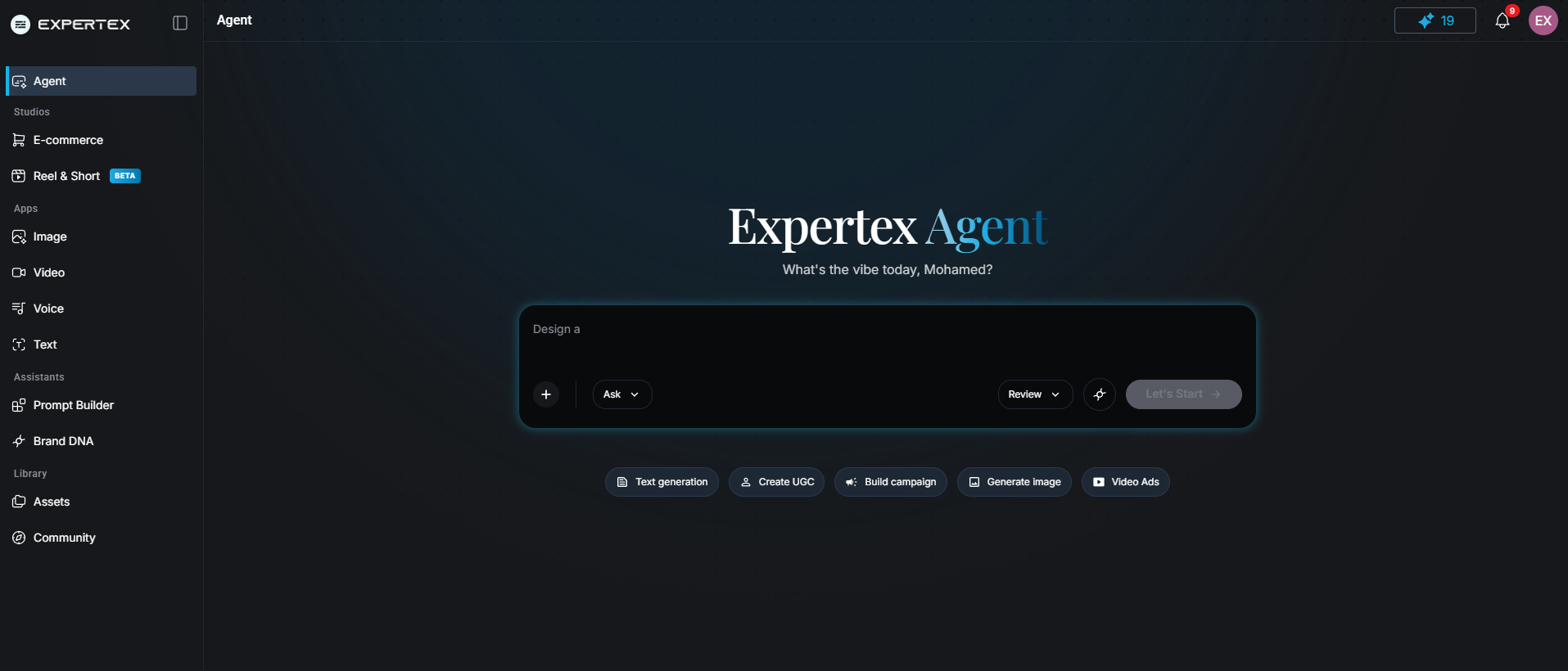
Expertex Agent — chat, thinking steps, approval card, and image + video outputs in one interface
What it does: Routes your brief to the right ImageSuite or VideoSuite app without switching tools.
It is: a chat-first front door with thinking steps, clarifying questions, an approval card (prompt + settings + credit estimate), and results back in the same thread.
It is not: a campaign builder, content calendar, TextSuite export, or auto-publisher. Voice and reel jobs live in other suites today.
The slow part is usually setup — not the model. Agent removes the overhead between your brief and the generator.
Expertex Product Team
Stage 2 — Why Agent vs opening suites manually
What it does: Shows where time is saved when the same ImageSuite / VideoSuite engines run through chat instead of form-hopping.
| Step | Open suites manually | Use Expertex Agent |
|---|---|---|
| Start | Pick ImageSuite or VideoSuite | Describe the outcome in chat |
| Prompt | Write model-ready language | Agent synthesizes the prompt |
| Settings | Choose ratio, quality, duration | Agent infers from channel |
| Cost | Credits visible after commit | Estimate on approval card first |
| Multiple assets | Separate job per format | Multi-gen in one approval |
| Iterate | Open suite history | Follow-up in the same thread |
Stage 3 — The 7-step flow
From first message to finished assets — same chat thread the whole way.
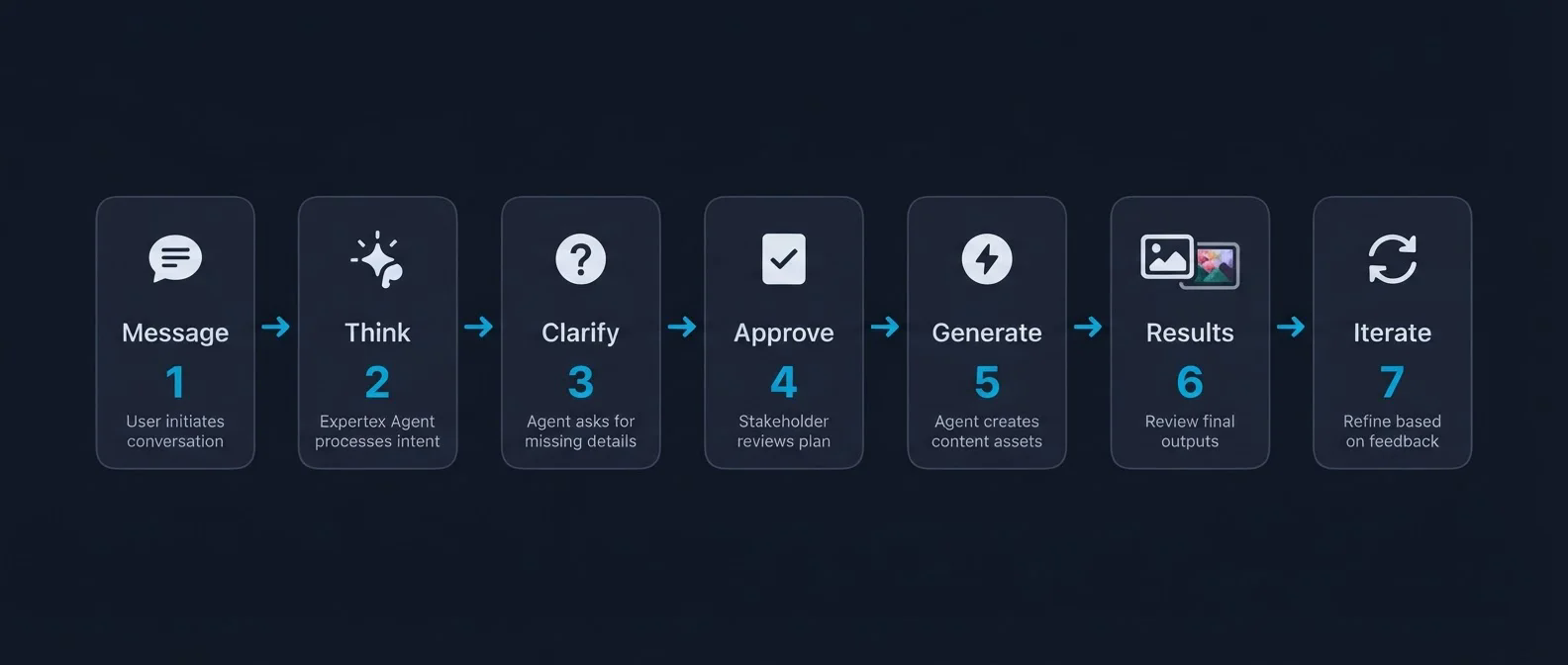
Expertex Agent 7-step flow — Message → Think → Clarify → Approve → Generate → Results → Iterate
What it does: Maps the full Agent loop. You stay in control at the approval step: tap Generate when the card looks right, or Cancel to tweak.
Stage 4 — Try it (three scenes)
One winter apparel brief, then iterate, then bundle image + video.
Copy each prompt into Agent. Adjust product details only and keep claims conservative.
Scene 1 — Starter brief
What it does: Asks Agent for a clean product photo plus a short UGC-style vertical ad in one message: multi-gen on a single approval card.
Launch a winter apparel line on Instagram and TikTok. I need a clean product photo on a warm lifestyle background and a short UGC-style vertical video ad. Keep claims conservative — use placeholders for price or performance if I did not provide proof.
Scene 2 — Follow-up in the same thread
What it does: Iterates without restarting: warmer grade on the still, then a 9:16 UGC cut of the same product.
Warm up the product photo — softer light and a cozier background. Then create a 9:16 UGC version featuring the same jacket. Do not invent pricing or performance claims.
Scene 3 — Image + video bundle
What it does: One approval for a product flat lay and a TikTok-style clip sharing the same sneaker. Useful when you need listing stills and social motion together.
Product flat lay for a sneaker launch plus a 9:16 TikTok-style clip with the same shoe. Warm streetwear mood. Conservative claims only.
Stage 5 — Honest limits
What it does: Sets accurate expectations before you scale the workflow.
| Limit | Detail |
|---|---|
| No campaign builder | No content calendar, scheduler, or auto-publish |
| Agent scope | Image and video jobs only — voice and reels live in other suites |
| Credit estimates | Previews — backend re-checks before running |
| Product accuracy | Generated shots can mislabel packaging — inspect every output |
| Compliance | Pricing, regulated claims, and product facts need human sign-off |
The value is speed and flow: fewer wrong turns between brief and approved creative files, with you in control at the approval step.